







Lead management is traditionally viewed as a handoff from marketing to sales. Marketing generates a lead, sales works it, and if a deal closes, support takes over.
This linear model assumes clean boundaries between departments. In reality, leads do not follow neat paths. A lead might contact support before they are ready to buy.
A sales rep might need marketing to send a case study mid conversation. A closed lost lead might become valuable again months later, requiring marketing to re engage.
The linear handoff model fails because it lacks feedback loops and shared visibility. Marketing does not know why sales rejected a lead.
Sales does not know which marketing content the lead consumed. Support does not know that a lead is in active negotiation, so they might send promotional emails that confuse the prospect.
Each department works in isolation, and the lead experiences a fragmented journey. This disconnect damages both efficiency and customer experience.
The Cost of Siloed Lead Management
Research shows that companies with tightly aligned marketing and sales achieve higher customer retention and higher sales win rates. Conversely, misalignment costs money.
Leads that are not properly qualified waste sales time. Leads that are qualified but not followed up promptly go cold.
Leads that contact support during the buying process receive generic answers that undermine trust. These failures are preventable with collaborative workflows.
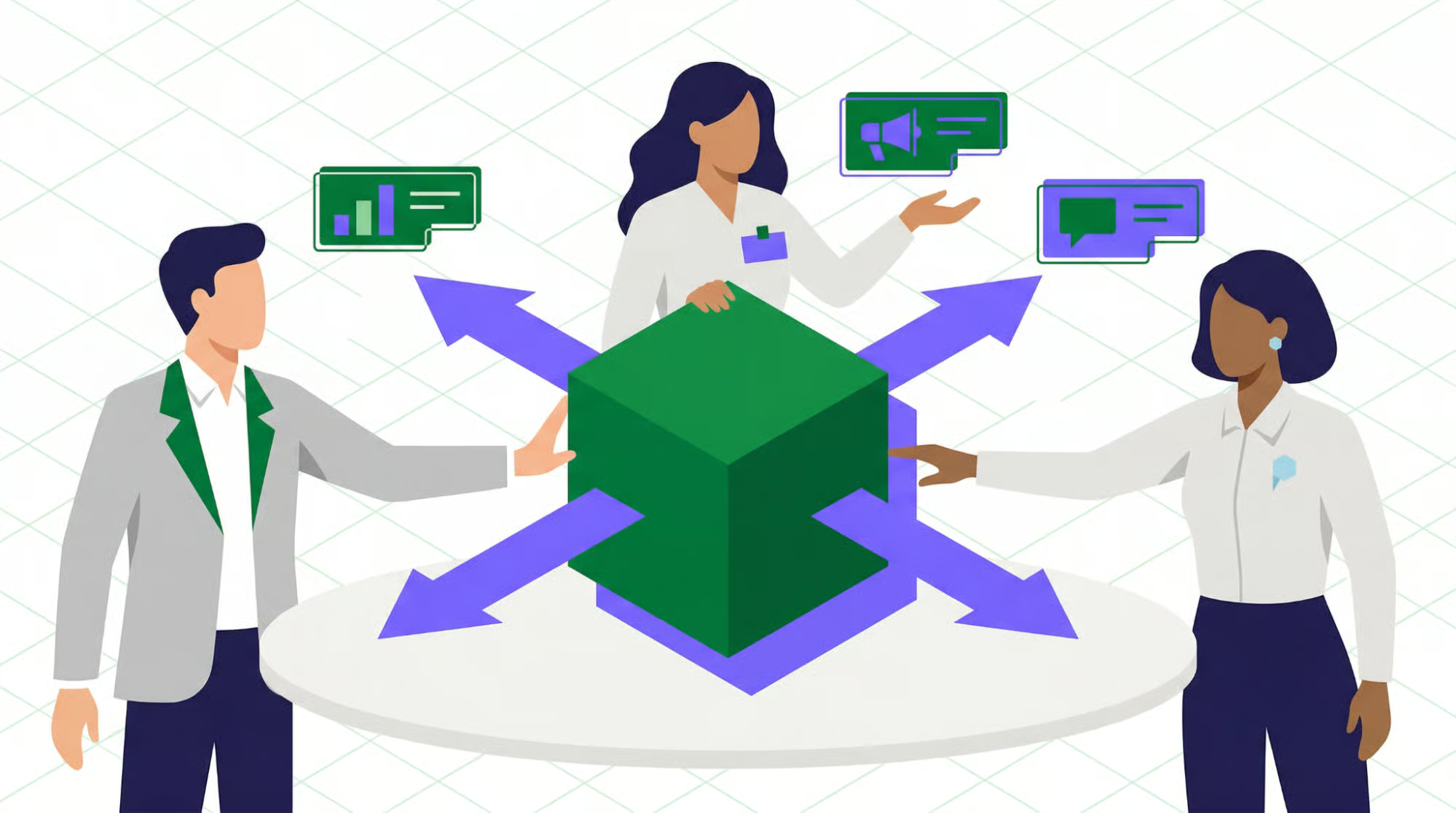
Collaborative workflows break down silos. Instead of handoffs, teams share a single lead record with roles, responsibilities, and visibility.
Marketing sees which leads sales accepted and why. Sales sees which marketing campaigns influenced the lead before assignment.
Support sees the lead’s stage and can tailor responses accordingly. Tasks, notifications, and escalations flow automatically across departments based on lead behavior.
Three Phases of Collaborative Lead Management
Phase one is lead generation and qualification. Marketing captures leads from multiple sources including web forms, events, chat, and content downloads.
Automation rules score leads based on fit and behavior. Marketing reviews the highest scoring leads and manually qualifies a subset.
Collaborative workflows include sales feedback on lead quality, which retrains the scoring model. This creates a continuous improvement loop.
Phase two is lead distribution and engagement. Qualified leads are routed to sales reps based on territory, product expertise, or round robin assignment.
Sales reps receive tasks with SLAs, such as a call within four hours. Marketing receives notifications when leads are accepted or rejected.
Rejected leads return to marketing for nurturing or recycling. Collaborative workflows ensure no lead falls through the cracks.
Phase three is lead progression and handoff to support. As leads become customers, the workflow shifts to support.
Support sees the lead’s entire history: which product they bought, which features were promised, and which marketing content they received.
When a lead becomes a customer, an automated workflow creates an onboarding task for support and notifies the account team.
The Role of CRM in Collaborative Workflows
The CRM is the system of record for lead data. Collaborative workflows require shared lead records where all teams see the same fields and notes.
Role based views are essential. Support sees ticket history. Sales sees pipeline stage. Marketing sees campaign attribution.
Automated notifications via email or Slack alert teams when leads change status or require action.
Task assignment and tracking allow tasks to be assigned across departments with due dates and escalation paths.
Feedback loops ensure that rejection reasons, win loss notes, and content effectiveness data flow back to marketing.
Shared Lead Scoring Models
A lead scoring model should not be built by marketing alone. The most effective models combine marketing’s engagement data with sales’ fit data.
Marketing contributes behavioral scores: email opens, content downloads, webinar attendance, and website visits.
Sales contributes fit scores: company size, industry, budget authority, and timing. The CRM calculates a composite score.
When a lead’s composite score exceeds a threshold, the CRM notifies both marketing and sales. Sales sees that the lead has been pre qualified.
If sales rejects the lead, they are prompted to select a reason: budget too low, wrong industry, no decision authority, already in another process, or not responsive.
These rejection reasons are logged and aggregated. The rejection feedback loop becomes actionable intelligence for marketing.
The Rejection Feedback Loop
A dashboard shows rejection reasons over the last thirty days. Marketing uses this data to adjust targeting criteria.
If many leads come from industries that sales consistently reject, marketing stops spending on those segments. If leads are not responsive, marketing tests different nurturing sequences.
The CRM can also adjust the lead scoring model automatically. If leads with high behavioral scores but low fit scores are frequently rejected, the model learns to weight fit scores more heavily.
This closed loop optimization is a form of collaborative machine learning. It improves over time without manual intervention.
Lead Recycling When Sales Says No
A rejected lead is not necessarily dead. A lead might be rejected because the timing is wrong, not because they will never buy.
Recycling automatically returns the lead to marketing for further nurturing. The lead enters a nurture campaign designed to address the rejection reason.
For budget related rejections, nurture content might include ROI calculators or payment plan information. For timing rejections, nurture might be a monthly check in sequence.
After a defined period, the lead is re scored. If the score crosses the threshold again, the lead is presented to sales as a recycled lead.
Sales sees that this lead was previously rejected but has now engaged with new content. The second chance often yields conversions.
Lead Decay and Reassignment
Not all leads require immediate rejection. Some leads are accepted by sales but then sit untouched. A collaborative workflow includes lead decay rules.
If a sales rep does not act on an assigned lead within a set SLA, the CRM sends a reminder to the rep and notifies the rep’s manager.
After a grace period, the CRM automatically reassigns the lead to another rep or returns it to the marketing queue.
This prevents leads from going cold due to sales inactivity. Marketing sees that a lead was reassigned due to non response, which may indicate a capacity or training issue.
Automated Lead Routing Rules
Routing rules should reflect how the business actually operates. Common routing criteria include territory, industry, lead source, lead score, round robin, and capacity based rules.
The CRM evaluates rules in priority order. All routing actions are logged so marketing can see exactly which rep received each lead.
Service Level Agreements for Lead Response
A lead that sits untouched for forty eight hours is often dead. Collaborative workflows enforce first response SLAs and follow up SLAs.
The CRM tracks SLA compliance in real time. A dashboard shows each rep’s leads at risk of SLA breach.
When a lead is within thirty minutes of breaching, the CRM sends a reminder via email or Slack. If a breach occurs, the CRM notifies the rep’s manager.
Cross Departmental Escalation
What happens when a rep is overwhelmed or on vacation? Escalation paths ensure leads are not abandoned.
If a rep does not accept a lead within a time limit, the lead is returned to the routing queue and assigned to another rep.
A sales manager can manually reassign a lead from the CRM interface. If a lead contacts support with a sales question, the support agent can escalate directly to sales.
Support triggered escalation creates a lead assignment task for the appropriate sales rep and adds a note on the lead timeline.
Shared Visibility for Marketing and Support
Marketing should not have to ask whether a lead was called. The lead record shows assignment timestamp, all outbound activities, and lead status changes.
Support sees the same information when a lead contacts them. A support agent opening a ticket sees the lead’s stage and assigned rep.
The agent can ask the lead about their conversation with sales. This continuity builds trust and avoids frustrating the prospect.
Lead Reassignment Based on Inactivity
Even after acceptance, leads can stall. Collaborative workflows include automatic reassignment triggers based on activity thresholds.
No activity logged in seven days sends a reminder to the rep. No activity in ten days sends notification to rep and manager.
No activity in fourteen days automatically reassigns the lead to another rep or returns it to the marketing queue.
The original rep receives a notification that the lead was reassigned due to inactivity. This creates accountability without manual management.
Automated Lead to Customer Transition
When a lead reaches Closed Won in the CRM, an automated workflow triggers several actions. The lead record is converted to a customer account.
The associated opportunity is marked as closed. A customer success or support team member is assigned as the customer’s primary contact.
An onboarding task is created for the support or implementation team. Marketing is notified to move the customer from lead nurturing to retention campaigns.
The sales rep receives a notification that the customer is now active and that post sale follow up tasks are scheduled.
Shared Customer History Across Departments
When a support agent opens a ticket for a new customer, they see the entire lead history. They see which campaigns brought the customer in and what product was purchased.
They also see what price and discount were negotiated, what features were promised, and any open tasks.
Support can use this information to avoid asking the customer to repeat themselves. Instead of “What product do you have?” the agent says, “I see you purchased the Enterprise plan. Welcome”
Post Sale Marketing Collaboration
Marketing should stop sending lead nurturing emails once a lead becomes a customer. Automated workflows update the customer’s subscription preferences.
The customer is removed from lead generation campaigns and added to onboarding sequences, loyalty campaigns, and upsell campaigns.
If marketing continues sending generic promotional emails, the customer may feel like just a number. Proper segmentation shows the customer they are valued.
Closed Lost Recycling and Win Back
Not all leads convert. When a lead is marked Closed Lost, a collaborative workflow determines the next action.
If the loss reason is “not ready” or “timing,” the lead is returned to marketing for long term nurturing. Marketing adds the lead to a quarterly check in sequence.
If the lead engages after six to twelve months, it is automatically re presented to sales as a recycled lead. Sales sees the full history.
If the loss reason is “chose competitor,” marketing may place the lead in a competitive win back campaign after a cooling period.
Unified Lead to Customer Dashboard
A single dashboard helps all teams see the health of the lead management pipeline. Key components include a funnel view by stage and a lead aging heatmap.
The dashboard also shows a rejection reason breakdown, cross department task lists, customer transition tracking, and a real time alert feed for SLA breaches.
Managers can click any element to drill into detailed records. Individual reps see their own version focused on their assigned leads and tasks.
Collaborative workflows transform lead management from a linear handoff into a continuous, cross functional process. Marketing, sales, and support share the same lead records, visibility, and accountability.
Automated routing and SLAs ensure timely response. Feedback loops close the gap between rejection and optimization. Post sale handoffs prevent customer abandonment.
A unified dashboard provides real time health monitoring. Organizations that implement these workflows see higher lead acceptance rates, faster response times, and smoother customer transitions.
The CRM becomes not just a database, but a conductor orchestrating every team’s contribution to the customer journey from first touch to long term success.