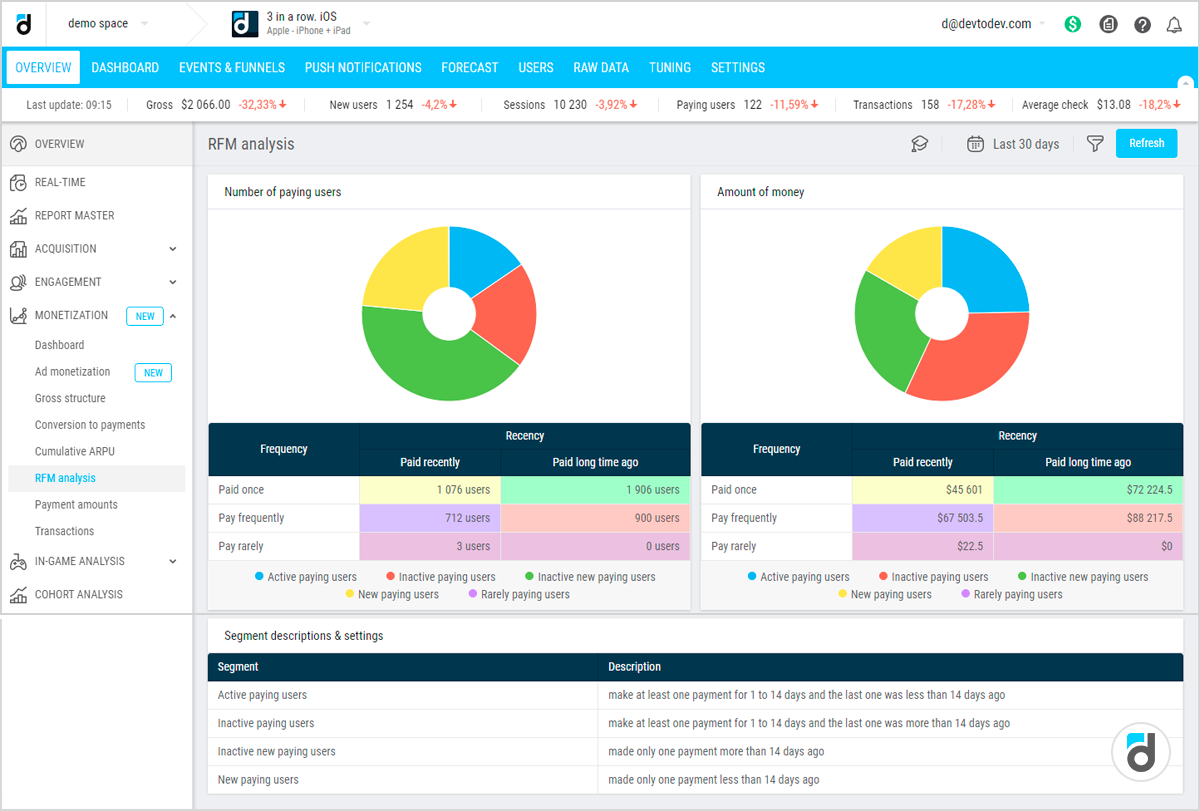








Most CRM systems are excellent at descriptive analytics. They answer the question: “What happened?” Sales dashboards show last quarter’s revenue. Marketing reports display email open rates and campaign conversions.
Service dashboards list average response times and ticket volumes. These descriptions are necessary but insufficient for competitive advantage. Knowing what happened does not tell you why it happened or what you should do next.
Analytics in CRM exists on three levels. Descriptive analytics summarizes historical data. Diagnostic analytics explains why something happened. Predictive analytics forecasts what will happen.
Prescriptive analytics recommends what to do about it. Prescriptive is the highest maturity level. It combines predictions with business rules, optimization algorithms, and simulation to suggest specific actions that maximize desired outcomes.
The Descriptive Trap
Many organizations get stuck at descriptive analytics. They build beautiful dashboards with real time updates. Managers spend hours reviewing reports but struggle to move from insight to action.
A dashboard shows that churn increased by fifteen percent last month. That is descriptive. Why did churn increase? Diagnostic analysis might reveal that a specific customer segment, small businesses, had a spike after a pricing change.
Predictive analysis might forecast that without intervention, churn will reach twenty five percent next month. Prescriptive analytics goes further: it recommends offering a ten percent discount to that segment, or sending a personalized retention email, or scheduling customer success calls for the five hundred highest risk accounts.
Why Prescriptive Analytics Requires Integration
Prescriptive analytics cannot live in a standalone spreadsheet. It requires integration between the CRM, machine learning models, and action systems like marketing automation, sales engagement platforms, and customer success tools.
The prescription is only useful if it can be executed automatically or presented to a decision maker with a clear “accept” button.
Four practical cases illustrate the journey from descriptive to prescriptive analytics in CRM. Each case follows the same pattern: start with descriptive reporting, add diagnostic and predictive layers, then implement prescriptive recommendations that close the loop between analysis and action.
Case 1 – Lead Scoring and Routing
Descriptive: A report shows that sales reps convert only fifteen percent of leads from web forms. Diagnostic: Analysis reveals that leads from the pricing page convert at forty percent, while leads from the blog convert at five percent.
Predictive: A machine learning model scores each new lead with a probability of conversion. Prescriptive: The CRM automatically routes high scoring leads, with probability above 0.7, to senior reps within five minutes.
Medium scoring leads go to a nurture sequence. Low scoring leads go to a marketing drip campaign. The prescription includes the specific channel, email, call, or SMS, and timing.
Case 2 – Next Best Action for Customer Service
Descriptive: Service dashboards show that thirty percent of customer calls require escalation to a manager. Diagnostic: Analysis of call transcripts shows that escalation happens most often for billing disputes and technical outages.
Predictive: A model predicts, within the first thirty seconds of a call, the likelihood of escalation based on customer tone and keywords.
Prescriptive: The CRM suggests scripts or automated discount offers to the agent in real time. For high escalation risk calls, the system proactively pages a manager to listen in.
Case 3 – Sales Rep Coaching
Descriptive: Sales reports show that one rep closes twenty five percent of deals while another closes ten percent. Diagnostic: Activity logs show the high performing rep sends follow up emails within two hours, while the low performer waits twenty four hours.
Predictive: A model estimates that improving follow up speed could increase the low performer’s close rate by eight percentage points.
Prescriptive: The CRM automatically schedules follow up tasks for the low performer and sends an alert when a task is overdue. It also recommends specific email templates used by the top performer.
Case 4 – Inventory and Replenishment
Descriptive: Reports show stockouts on ten percent of SKUs each month. Diagnostic: Analysis links stockouts to inaccurate sales forecasts for seasonal products.
Predictive: A time series model forecasts demand for each SKU for the next four weeks. Prescriptive: The CRM integrates with the ERP to automatically generate purchase orders when forecasted stock falls below a dynamic threshold, adjusting for lead times and supplier reliability.
Moving from Reports to Recommendations
The common thread across these cases is closing the loop. Descriptive reports inform humans; prescriptive analytics informs systems or provides actionable recommendations.
The CRM ceases to be a passive database and becomes an active decision engine.
Building a Predictive Lead Scoring Model
The transition to predictive analytics begins with a lead scoring model. Historical lead data is labeled with the outcome, converted or not. Features include lead source, company size, industry, job title, pages visited, time on site, and form fields completed.
A gradient boosting or logistic regression model learns which combinations of features predict conversion. The model outputs a score between zero and one for each new lead, the predicted probability of conversion.
A score of 0.85 means the lead has an eighty five percent chance of becoming an opportunity. This predictive layer transforms the static descriptive report into a dynamic, lead by lead prioritization tool.
The Prescriptive Step: Automated Routing
Predictive scoring alone is still descriptive of probability. Prescriptive analytics answers: “What should we do with this specific lead?” The answer depends on the lead’s score, the rep’s capacity, and business rules.
A prescriptive lead routing system implements logic like score above 0.8 routes to the most senior rep within five minutes, assigns a call task, sends an internal Slack notification, and adds the lead to a high priority daily report.
Score between 0.5 and 0.79 routes to a junior rep or SDR, sends an automated email within one hour, and adds to a nurture sequence if not contacted in forty eight hours.
Score below 0.5 sends to marketing automation for a long term nurture drip and suppresses from sales queues unless the lead self identifies with high intent behavior.
Closing the Loop for Continuous Improvement
Prescriptive analytics learns from outcomes. When a sales rep follows the prescribed action, the system tracks whether that lead converts at a higher rate than similar leads where the prescription was not followed.
If the model is wrong, many high score leads fail to convert, the model is retrained with the new data. The business rules, thresholds for routing, are also adjusted dynamically.
If the conversion rate for leads in the 0.7 to 0.8 range drops, the routing threshold might be raised to 0.75. This creates a self improving system.
Real World Results from Lead Scoring
A B2B SaaS company implemented prescriptive lead scoring and routing. Before, conversion from lead to opportunity was twelve percent. After, it increased to twenty two percent.
The average time to first contact dropped from twenty four hours to fifteen minutes for high score leads. Reps reported less time sorting leads and more time selling.
The prescriptive system also identified that leads from webinars scored higher than previously assumed, prompting a reallocation of marketing spend.
Real Time Prescriptive Service Analytics
As a customer interacts with an IVR or begins a chat, the CRM captures available data: customer ID, recent purchase history, outstanding support tickets, payment status, and sentiment from the first few words of text or speech.
A predictive model estimates escalation risk, churn risk, and offer sensitivity. These predictions appear on the agent’s screen within seconds of the call starting.
An agent sees: “High churn risk, eighty five percent. Customer has had three billing disputes in last sixty days. Recommendation: offer twenty dollar credit before customer asks.”
Prescriptive analytics goes beyond predictions to recommend specific actions. The recommendation engine considers the customer’s predicted state, the agent’s available actions, and business constraints.
Prescriptive Sales Rep Coaching Details
Sales dashboards show each rep’s conversion rates, pipeline velocity, and average deal size. A manager sees that Rep A closes twenty five percent of opportunities while Rep B closes ten percent. The descriptive report does not explain why or what to do.
Activity logs and email metadata reveal differences. Rep A sends follow up emails within two hours of a demo; Rep B waits twenty four hours. Rep A uses a specific pricing comparison template; Rep B uses a generic template.
A predictive model estimates that if Rep B improved follow up speed to two hours, their close rate could increase by eight percentage points.
The CRM automatically generates a personalized coaching plan for Rep B. The plan prescribes three actions: set a daily calendar reminder to check for new demos, install a CRM plugin that flags leads requiring follow up, and study the top performer’s email template.
The system also creates automated follow up tasks for Rep B’s leads and sends an alert to the manager if a task is overdue by four hours.
Prescriptive Inventory Replenishment Details
Stockout reports show that ten percent of SKUs run out each month. Lost sales due to stockouts are estimated at five hundred thousand dollars annually. Reorder points are static and based on average monthly demand.
Analysis links stockouts to inaccurate forecasts for seasonal products and long lead times from certain suppliers. A time series model forecasts demand for each SKU for the next four weeks, incorporating seasonality, promotions, and trend.
The CRM, integrated with ERP, automatically generates purchase orders when the forecasted demand exceeds current stock plus in transit inventory, adjusted for lead time.
The prescription includes the order quantity, the recommended supplier based on lead time and cost, and the suggested order date. For SKUs with high forecast uncertainty, the system prescribes a safety stock buffer.
Building a Unified Prescriptive Framework
These four cases share a common architecture. A unified framework enables any CRM team to move from descriptive to prescriptive across multiple use cases.
Data foundation requires clean, integrated data from CRM, ERP, marketing automation, support platform, and web analytics. Predictive models forecast outcomes of interest like conversion probability, churn risk, and demand forecast.
Business rules and optimization combine model outputs with constraints to generate prescriptions. Action execution allows the CRM to execute the prescription automatically or present it for approval.
Feedback loop records outcomes and feeds them back to the predictive models and business rules.
Overcoming Common Barriers
Prescriptive analytics amplifies bad data. Invest in data cleaning before building models. Sales reps and agents may resist being “told what to do.” Frame prescriptions as intelligent assistance, not automation of judgment.
Allow overrides and explain recommendations. Start with one use case, such as lead scoring, and prove value before expanding.
Prescriptions that manipulate customer behavior must be transparent and avoid exploiting vulnerable segments. Establish ethics review for prescriptive rules.
Measuring Success at the Prescriptive Level
Move beyond descriptive metrics. Key performance indicators for prescriptive analytics include adoption rate, the percentage of prescriptions accepted or executed automatically.
Uplift measures improvement in outcome for groups where prescriptions were followed versus control groups.
Time from insight to action should reduce to near zero for automated actions. ROI is net benefit from prescriptions minus cost of model development and integration.
Descriptive reports answer “What happened?” Predictive analytics answers “What will happen?” Prescriptive analytics answers “What should we do about it?”
The journey from descriptive to prescriptive in CRM transforms the system from a passive record of the past into an active engine for future success.
Lead scoring and routing, next best action for service, sales rep coaching, and inventory replenishment are four practical cases where prescriptive analytics delivers measurable ROI.
Organizations that master prescriptive analytics stop asking “What went wrong?” and start asking “What should we do next?” with the answer appearing automatically in their CRM.